
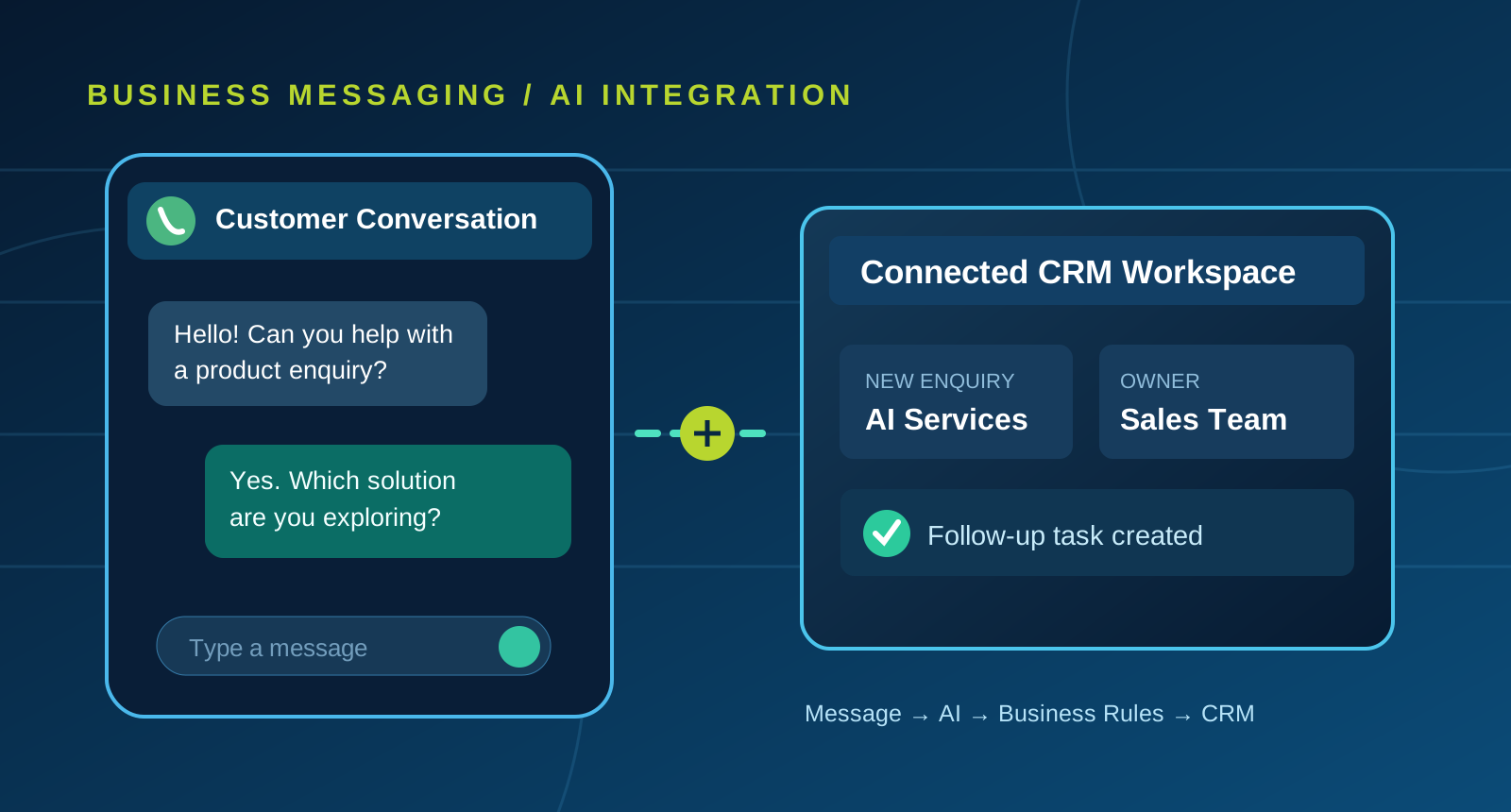
A chatbot answers; a workflow moves work forward
A basic WhatsApp bot can provide a menu, answer common questions or collect a name and phone number. That can be useful, but businesses often need the conversation to trigger a real action: create a lead, assign a support issue, schedule a call or notify the relevant team.
A connected AI agent combines message understanding with business rules and a backend application. The integration matters as much as the conversational model.
Common use cases for a connected agent
Lead intake: identify the product or service of interest and save a structured enquiry.
Product questions: answer from approved product information instead of guessing.
Appointment requests: collect preferred times and hand the request to scheduling staff or an integrated calendar.
Customer support: classify an issue, collect context and provide a case reference where supported.
Internal escalation: send a transcript summary and owner assignment to the support team.
These workflows are most reliable when each has a clearly defined outcome and a limited set of permitted actions.
What the system architecture looks like
An authorized WhatsApp Business messaging integration delivers incoming messages to a webhook endpoint. The backend validates the request, looks up relevant data, applies business rules and prepares a response. An AI model may interpret the enquiry or draft a reply, while the application controls which data and actions are available.
A CRM or SQL Server database can maintain customer conversations, lead status, follow-up tasks and an audit history. Staff should be able to take over the chat, correct information and close a request without fighting the automation.
Consent, platform policies and privacy
WhatsApp messaging is subject to Meta's applicable business messaging rules, customer consent requirements and restrictions on outbound communication. Businesses may need approved message templates for certain communications. These policies can change, so deployment should follow the current official documentation and the rules of the target country.
Do not send credentials, one-time passwords or sensitive documents into an unrestricted AI prompt. Design the system to retain only appropriate conversation data, and explain to customers when automated assistance is being used.
Practical rollout checklist
Confirm the business account, phone-number setup and approved API access.
Create a small set of supported questions and actions.
Connect enquiry creation and follow-up ownership to the CRM.
Implement staff handoff, retries, error logs and opt-out handling.
Test ambiguous messages, multiple languages and unsupported requests.
Review real interactions before expanding to additional services.
Choosing the right level of automation
A menu-based bot may be sufficient for a business with a small FAQ and no back-office integration. A connected AI agent becomes more valuable when the business needs context from several systems and a trackable outcome.
SB Infotech designs WhatsApp AI integrations and custom CRM-connected workflows. Availability of channels and provider features depends on account approvals, selected infrastructure and configuration.
Let's build the right solution.
Every business has its own processes, customer expectations and integration requirements. Let's discuss what will work for yours.
Discuss your project ↗